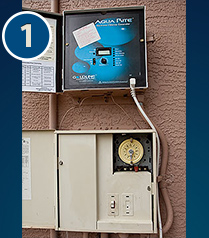
01
Turn Off Your System
Locate the main control panel for your chlorinator, usually beside your pool filtration power switch and timer. Turn the main power off before proceeding.

SALT CELL REPAIR GUIDE
Once you have determined that your salt cell needs repair, contact Salt Solutions to request a prepaid UPS shipping label. The original instructions describe this as a no-cost way for customers to send their cell for service. Confirm label arrangements with Salt Solutions before shipping.
Safety: Shut off electrical power before disconnecting equipment. If you are unfamiliar with your system or the removal procedure, consult a qualified pool service technician.
Locate the main control panel for your chlorinator, usually beside your pool filtration power switch and timer. Turn the main power off before proceeding.
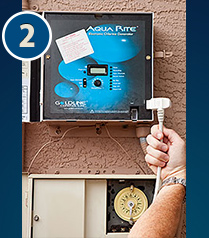
Using a large pair of channel-lock pliers, loosen the right-side collar, then the left-side collar, as shown in the original Salt Solutions guide. Expect some water to drain from the cell and PVC plumbing when the collars are loosened.
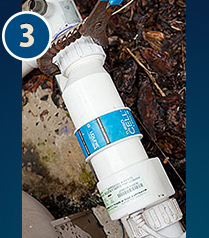
Find the cable running from the salt cell to the control panel. Disconnect the plug by gripping its connector close to the panel. Do not pull on the cable itself.
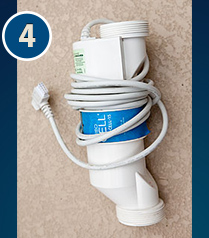
Allow the removed salt cell to drain completely. Wrap the cord carefully around the unit and secure it in a correctly sized box with protective packing material. Take the package and the UPS shipping label supplied by Salt Solutions to a UPS shipping location.
Contact Salt Solutions for shipping instructions and your prepaid UPS return label before mailing your equipment.